Pole Power Plan
1. Overview
The pole power plan module uses intelligent automatic control strategies to achieve fine control of terminal power supply. Support is based on the following trigger conditions:
- Time triggering: Timing control down to the minute level
- Latitude and longitude trigger: Dynamically adjusts based on sunrise/sunset times
It is suitable for various scenarios that require fine control of the terminal power supply.
A pole power supply is a power distribution device installed on pole structures (such as streetlight poles, surveillance poles, or signal poles) to provide stable electrical power to external terminal equipment. The device supports both direct current (DC) and alternating current (AC) output modes, which can be configured according to the application scenario and terminal equipment requirements. Its main functions include:
- Providing power output that meets the rated parameters of the terminal equipment;
- Featuring basic protection functions such as overload, short-circuit, and over-voltage protection;
2. Function Introduction
2.1 Plan List
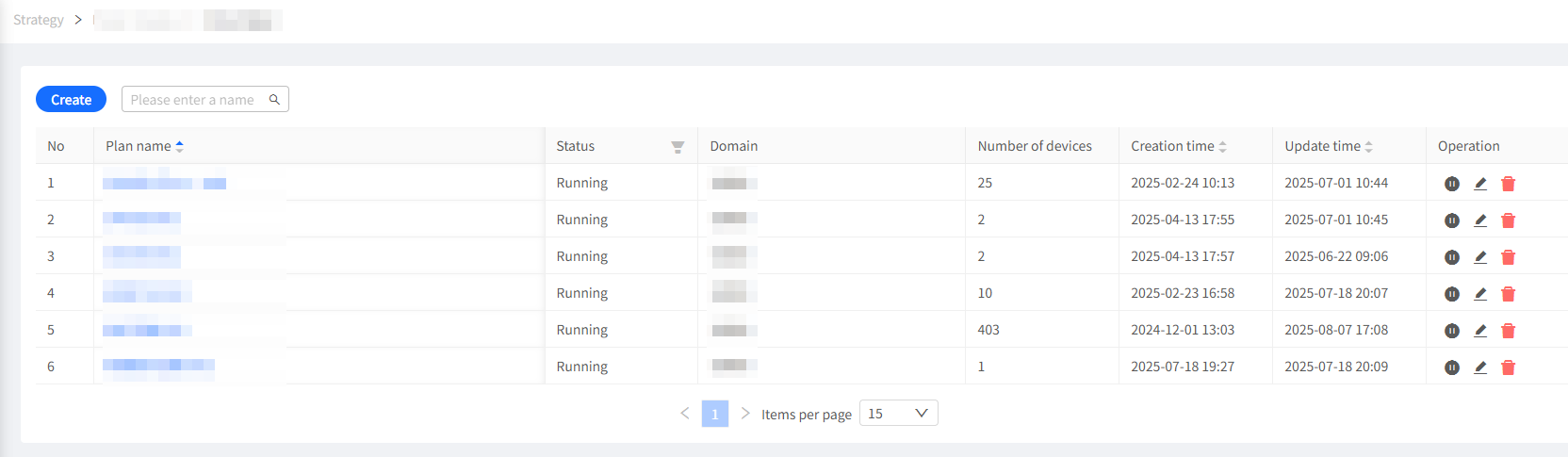
The list displays all pole power terminal strategies added by users under the current domain and subdomains.
2.1.1 Operation Steps
- After logging in to the system, select the
Smart Strategymodule in the system menu to enter. - In the menu item on the left, click
Pole Power Planto enter the strategy list.
2.1.2 Interface Description
- Pagination: Displays all plans (default sorted by plan name in ascending order)
- Quick Search: Supports fuzzy query by plan name
- Status Filter: Enables/Disables plans
- List Display:
- Plan Name: Supports editing
- Status: Current plan status (enabled/disabled), supports filtering by status
- Domain: Domain to which the plan belongs
- Device Count: Number of pole power terminal devices associated with the plan
- Create Time: Display the creation time of the plan, supports sorting by time
- Update Time: Display the last update time of the plan configuration, supports sorting by time
- Quick Operations: Display the executable operation instructions for the current plan
 : Edit the plan name
 :Delete the current plan
 :Enable the current plan
 :Disable the current plan
2.2 New Plan
2.2.1 Operation Steps
- After logging in to the system, select the
Smart Strategymodule in the system menu to enter. - In the menu item on the left, click
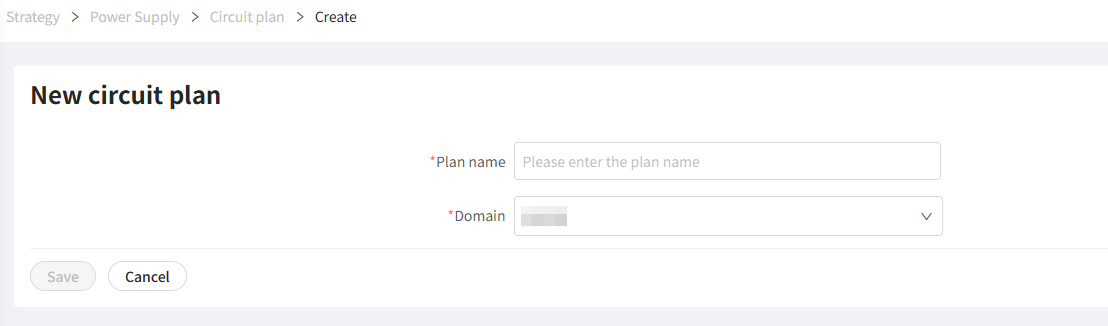
Pole Power Planto enter the strategy list. - Click the "Create" button in the upper left corner of the page to enter the creation page.
- Follow the page prompts to complete the plan name and domain selection, click the "Save" button to enter the plan details page.
2.3 Plan Details
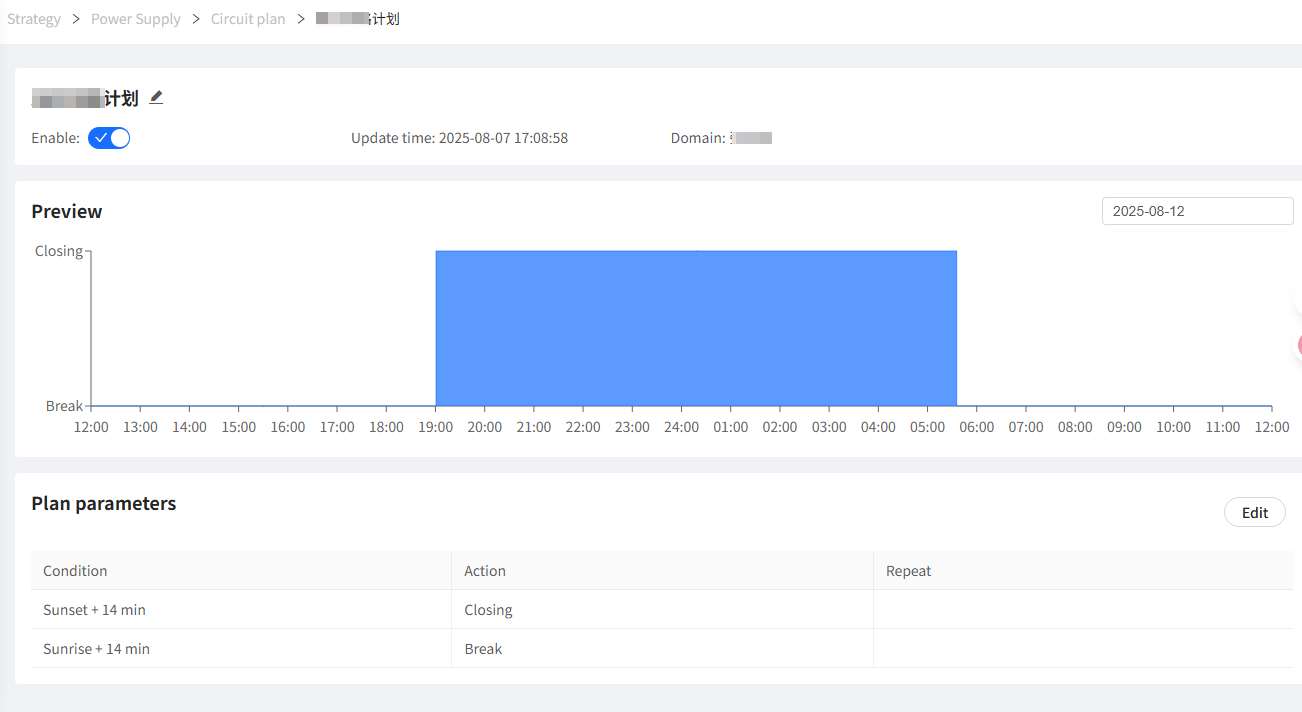
This section is used to view the current plan execution configuration and preview effects.
2.3.1 Interface Description
- Basic Information Area
- Plan Name: Supports editing
- Status: Current plan status (enabled/disabled), supports filtering by status
- Domain: Domain to which the plan belongs
- Update Time: Display the last update time of the plan configuration, supports sorting by time
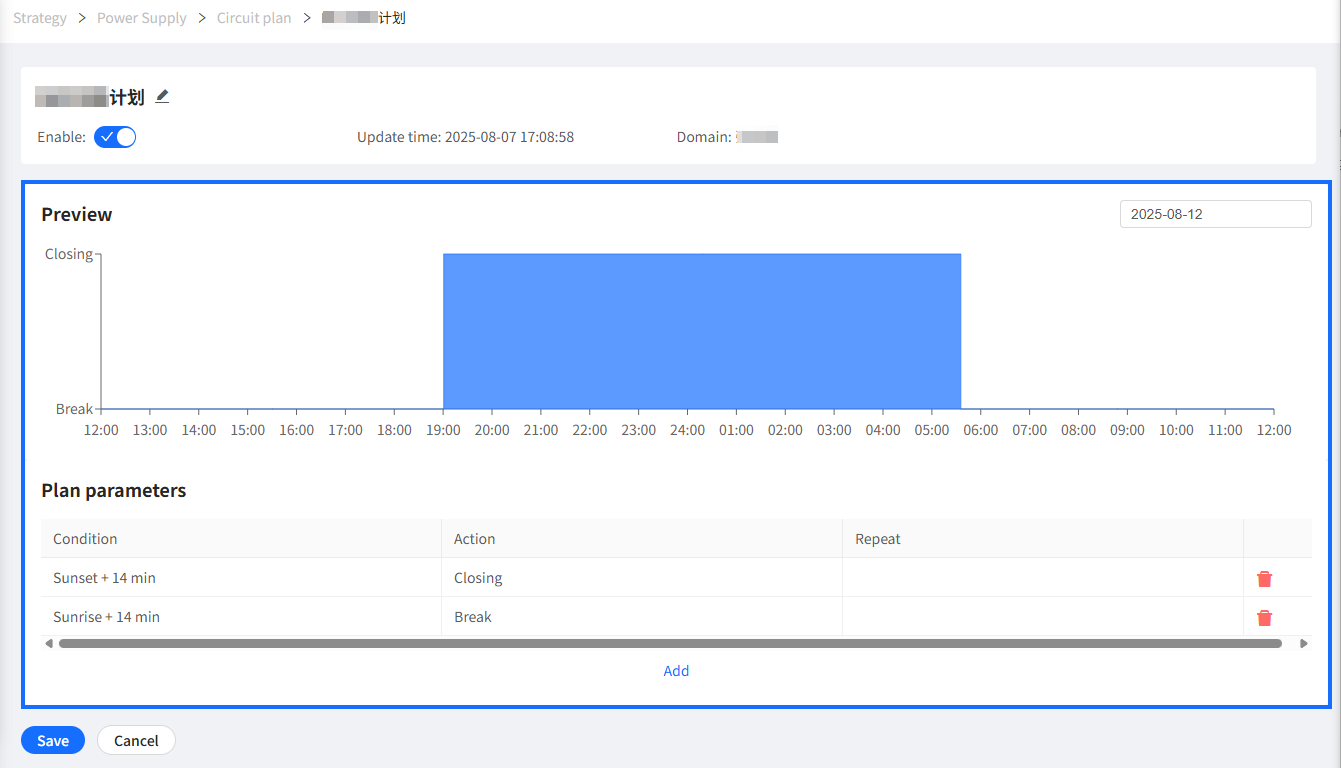
- Preview Area: Chart displays the status (On/Off) change of pole power terminal devices on the specified date
- Y-axis: Device status (On/Off)
- X-axis: Time, displaying the period from noon to noon of the next day
- Supports date switching
- Plan Parameter Area: List displays multiple execution parameters in the current plan
- Trigger Conditions: Specific time for plan execution, supports timing and astronomical time based on latitude and longitude (offset adjustable)
- Instruction Parameters: Pole power terminal execution instruction, On or Off
- Execution Cycle: Plan execution cycle, default is all dates are effective, supports user-defined month, date, week execution at a certain time point
Plan parameters based on astronomical time, such as sunrise and sunset, will automatically calculate based on the latitude and longitude coordinates of the plan's domain.
2.3.2 Operation Steps
Click the "Edit" button in the plan parameter area to enter the plan edit state.
Click on an existing plan item or select the add button to the right, and a parameter configuration interface will pop up on the right. Follow the page prompts to input relevant information:
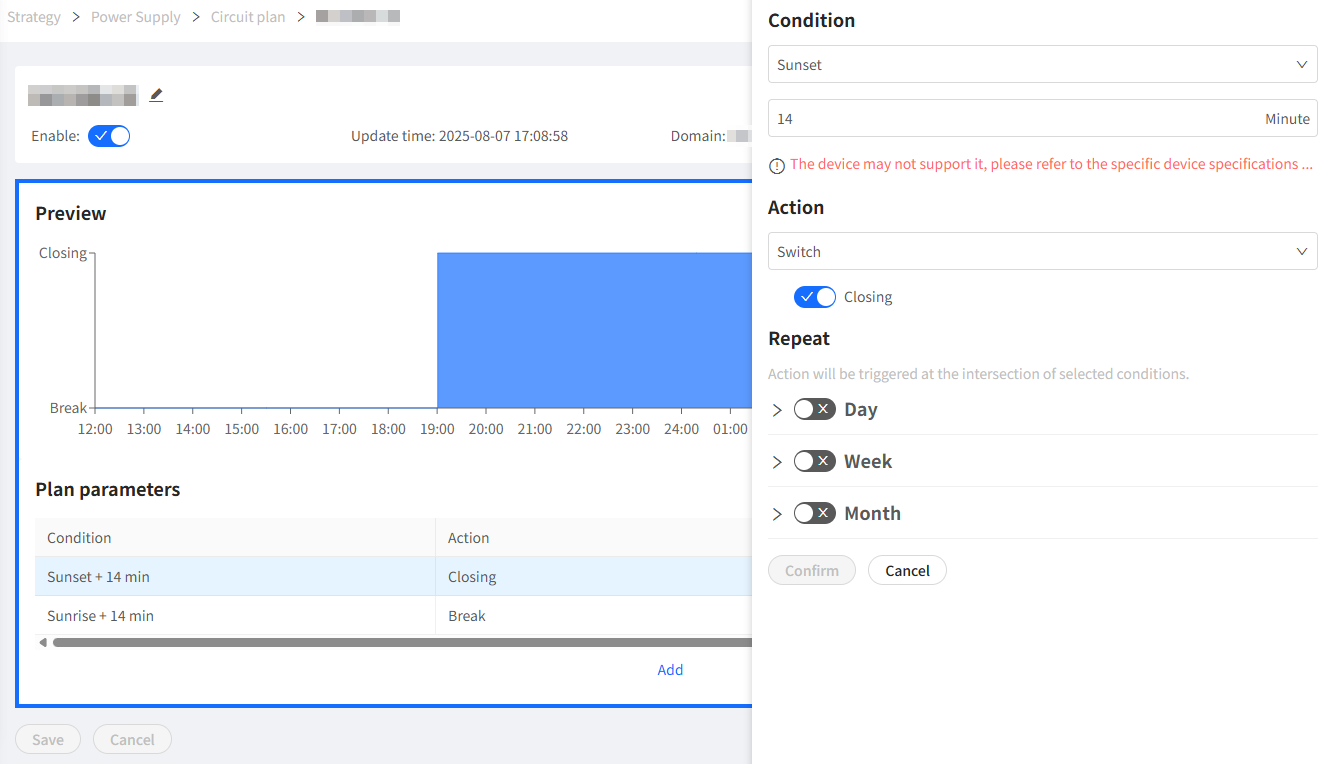
Specific parameter descriptions refer to the plan parameter area description above.
- All plan parameter changes need to be saved to take effect.
- Plan parameter changes will be immediately synchronized to related terminal control devices.
- When the device is offline, plan parameter changes will be synchronized to the device when it is online.
2.4 Device
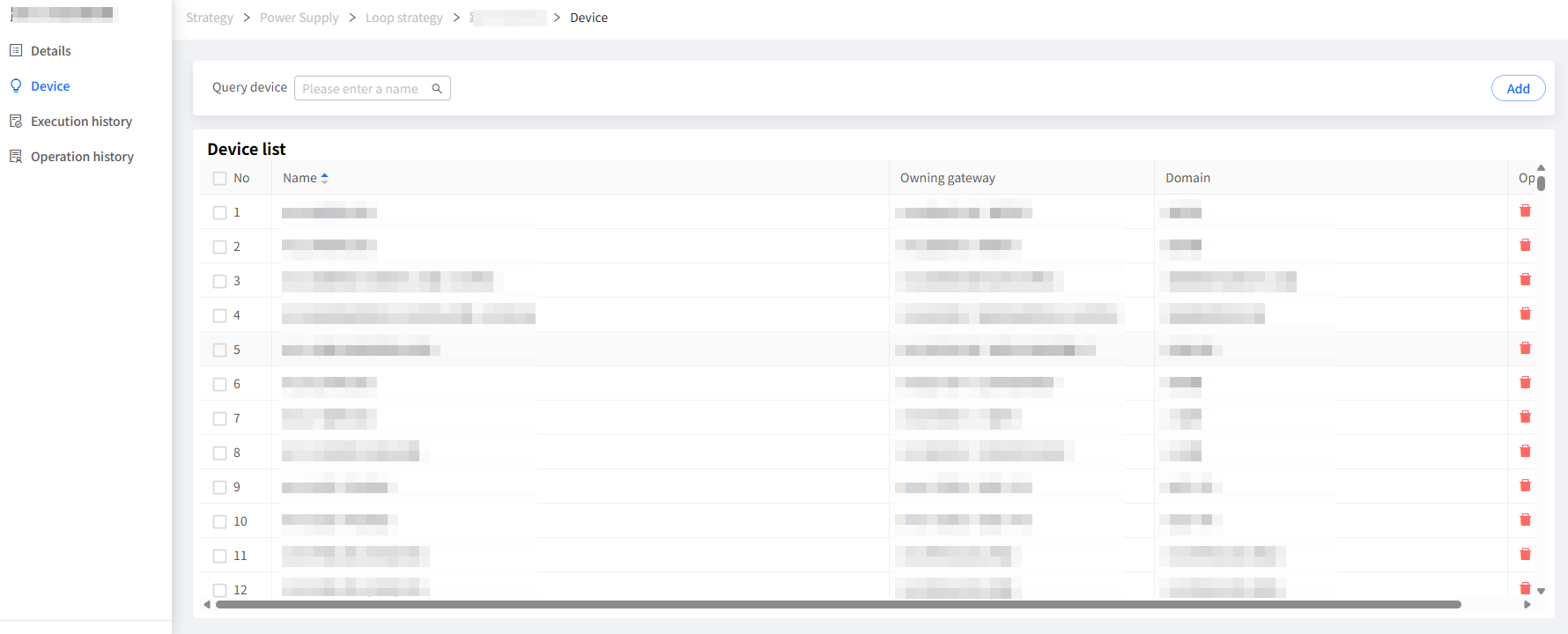
The current strategy is configured to execute on the specified device collection, and the execution device is the power supply circuit terminal.此处配置当前计划执行的目标设备集合,杆柱电源计划对应的执行设备是杆柱电源终端。
2.5 Execution History
The execution history of the current plan is displayed here, including the execution time, execution status, execution results, and other information.

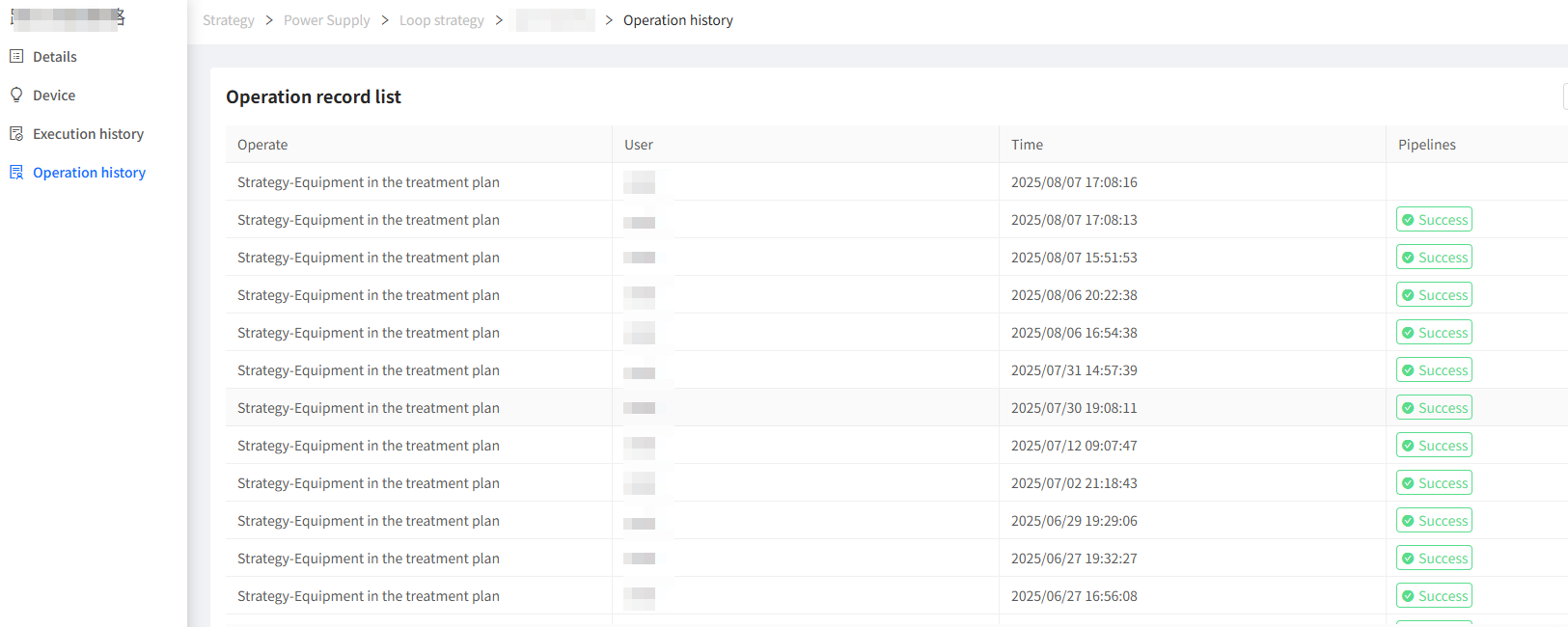
2.6 Operation Log
The operation history of the current plan is displayed here, including the operator, operation time, operation content, and other information.